How to Recover Funds in Multi-Signature Cryptocurrency Wallets

When you set up a multi-signature (multisig) wallet, you're not just adding security - you're building a system that can survive broken devices, lost passwords, or even stolen keys. But if you don't plan for recovery before something goes wrong, you could lose access to your funds forever. The truth is, most people who use multisig wallets don't fully understand how to recover them. And when disaster strikes, it's too late to learn.
Why Multisig Recovery Is Different from Regular Wallets
A regular Bitcoin wallet uses one private key. If you lose that key, you lose everything. Multisig changes that. It requires multiple keys to sign a transaction. Common setups are 2-of-3 or 3-of-5, meaning you need at least two or three signatures out of three or five total keys to move funds. This means if one key is lost, stolen, or damaged, you still have backups. But here’s the catch: you can’t recover funds with fewer than the minimum required keys. In a 2-of-3 setup, you need at least two of the three private keys. Lose two? You’re locked out. Lose one? You’re fine - as long as you have the other two and the right tools. Most recovery failures happen because users didn’t document their setup. They assumed their wallet app would handle everything. But apps can disappear, servers can go down, and updates can break compatibility. Recovery isn’t something you do after the fact - it’s something you build into your setup from day one.What You Need to Recover a Multisig Wallet
To recover a multisig wallet, you need three things:- M private keys - the exact number required by your setup (e.g., 2 for a 2-of-3 wallet)
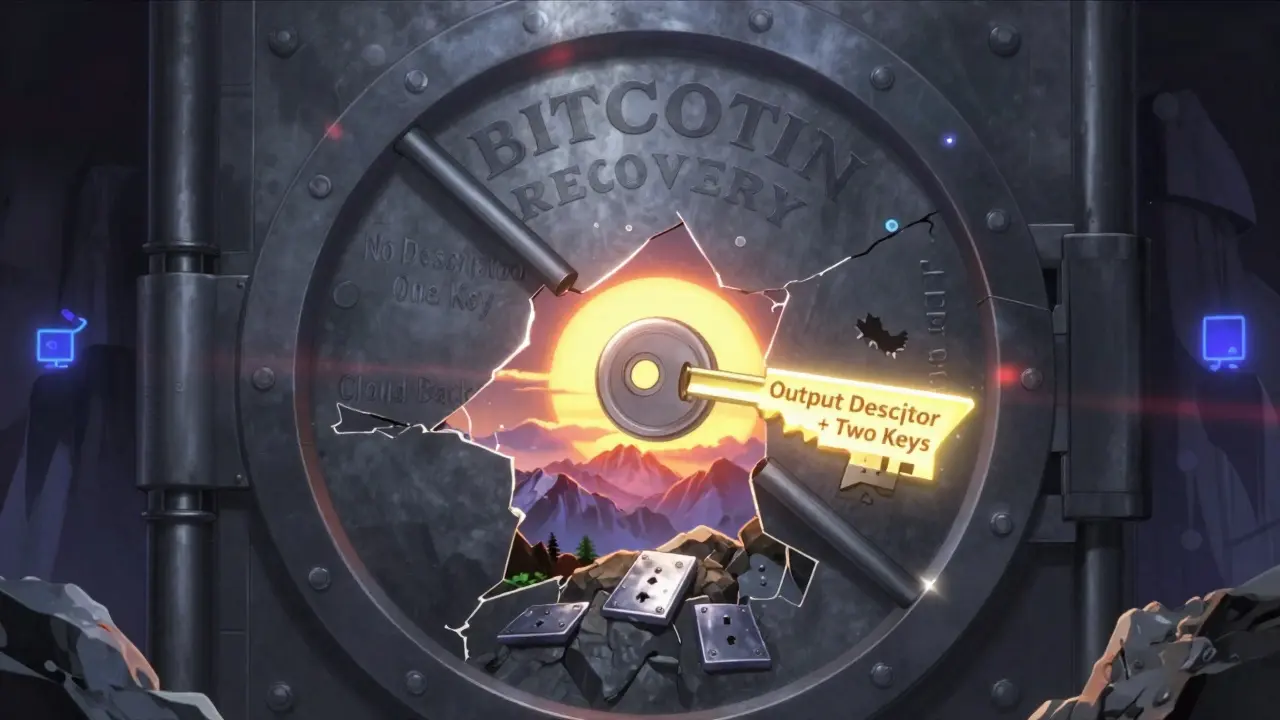
- The output descriptor - a text string that tells your wallet how to reconstruct the address and script
- A compatible wallet app - one that can read and process the descriptor
wsh(multi(2,[a1b2c3d4/48'/0'/0'/2']xpub...,[e5f6g7h8/48'/0'/0'/2']xpub...)). It tells your wallet: "Use this script type, these public keys, and require 2 signatures." If you don’t have this, you’re trying to rebuild a puzzle without the box picture.
You must export this descriptor when you first create the wallet. Most apps let you do this as a text file or QR code. If you didn’t do it then, you’re already behind.
How Recovery Works Across Popular Wallets
Different wallets handle recovery differently. Here’s how the major players do it as of 2026:| Wallet | Recovery Method | Keys Required | Time to Recover | Requires Technical Skill? |
|---|---|---|---|---|
| Theya | Export descriptor + 2 private keys | 2 of 3 | 15-25 minutes | Yes |
| Nunchuk | Import BSMS file into Sparrow Wallet | 2 of 3 | 5-10 minutes | No |
| BitPay | Each copayer uses their own seed phrase | 2 of 3 | 30+ minutes | Yes |
| Casa | 2 devices for standard, 3 keys for sovereign | 2 of 5 | 20-40 minutes | Yes |
| Ownbit | Manual UTXO lookup + transaction build | 2 of 3 | 30-45 minutes | High |
Nunchuk made recovery easy in 2023 by adopting BIP48 and BIP129 standards. If you exported your BSMS file (a single encrypted config file), you can recover by importing it into Sparrow Wallet - no technical knowledge needed. But if you didn’t export it? You’re stuck.
Theya requires you to manually input the output descriptor and two private keys into Sparrow Wallet. It’s more work, but it gives you full control. No company can block you. No server outage can stop you. You’re truly sovereign.
BitPay’s method is the least flexible. Each person in the 2-of-3 setup has their own 12- or 24-word seed. If one person loses their phrase and refuses to help, you’re out of luck. Support can’t help you. The system is designed that way - for security, not convenience.

Tools You Need to Recover
You can’t recover multisig using your phone wallet alone. You need a desktop app that speaks the same language as your original setup. Here are the two most reliable tools:- Sparrow Wallet - Open-source, supports BIP48 and BIP129, works with Theya, Nunchuk, and Ownbit. Available for Windows, macOS, and Linux. Requires Java 17+.
- Specter Desktop - Great for advanced users. Lets you export descriptors and combine partially signed transactions. Works with Trezor, BitBox02, and Coldcard hardware wallets.
Both are free. Both are open-source. Neither asks for your keys. You can download them from their official GitHub pages and run them offline for maximum security.
Don’t use web-based tools or mobile apps for recovery. They’re not designed for it. They’ll crash, freeze, or ask for permissions you shouldn’t give.
Common Mistakes That Lead to Permanent Loss
Based on user reports from Reddit, GitHub, and support forums, here are the top reasons people lose funds during recovery:- Not exporting the output descriptor - 63% of failures. Users assume the wallet app will remember everything.
- Using the wrong key derivation path - 17% of cases. Keys from different wallets use different paths (like /48’/0’/0’/2 vs /44’/0’/0’/0). If you mix them, the wallet won’t find your coins.
- Assuming cloud backup is enough - If Nunchuk’s servers go down and you never exported your BSMS file, you lose access.
- Trying to recover with only one key - In a 2-of-3 setup, one key is useless. You need two.
- Using outdated wallet software - If your Sparrow Wallet is version 1.5 and the descriptor uses BIP129 features, it won’t work.
One user on Reddit lost $3,200 because they never exported their Nunchuk config. Another spent three hours reading Sparrow’s documentation just to understand what an output descriptor was. These aren’t edge cases - they’re common.
How to Prepare for Recovery Before You Even Use Multisig
The best recovery is the one you never have to do. Here’s how to make sure you’re ready:- Choose a 2-of-3 or 3-of-5 setup - These are the sweet spots between security and recoverability.
- Export the output descriptor immediately - Save it as a text file. Print it. Store it on a metal seed plate.
- Export your wallet config - If your wallet supports BSMS (Nunchuk) or similar, do it now. Update it every 30 days.
- Store keys separately - Keep one key on your phone, one on a hardware wallet, one on a paper backup. Don’t store all three in the same place.
- Test recovery - Before you put real money in, do a dry run with a small amount. Use Sparrow Wallet to import your descriptor and keys. Confirm you can send 0.001 BTC.
Jameson Lopp, Bitcoin infrastructure expert, says: "Seed plates are resistant to fire, water and corrosion, ensuring your bitcoin can survive through a disaster situation." If you’re serious about security, you need physical backups. Paper can burn. USB drives can fail. Metal lasts.
What Happens If You Can’t Recover?
If you don’t have enough keys or the output descriptor, there’s no magic fix. No company can restore your funds. No blockchain explorer can reverse the transaction. Bitcoin’s design makes this intentional - it’s what prevents hacks and fraud. But here’s the reality: 15-20% of non-technical users who use multisig wallets eventually lose access. That’s not because they’re careless - it’s because recovery is poorly explained. Wallet providers focus on setup, not recovery. The good news? The industry is improving. BIP352 (a new standard for recovery descriptors) is under review. Nunchuk now sends monthly reminders to export your config. Sparrow Wallet has simplified its interface. But until recovery becomes as easy as resetting a password, you have to do the work yourself.Final Checklist: Are You Ready?
Before you send your next Bitcoin to a multisig wallet, answer these:- Do I have the output descriptor saved in two places?
- Do I have at least two private keys stored securely and separately?
- Have I tested recovery with a small amount?
- Do I know which wallet app I’ll use if my phone dies?
- Have I printed or engraved my keys on metal?
If you answered "no" to any of these, you’re not ready. Recovery isn’t a feature - it’s a responsibility.
Can I recover my multisig wallet if I lose one key?
Yes - if you’re using a 2-of-3 or 3-of-5 setup, losing one key doesn’t lock you out. You still need the remaining required keys (two for 2-of-3, three for 3-of-5) and the output descriptor. If you have those, recovery is possible. If you lost more than the allowed number of keys, you cannot recover.
Do I need to use the same wallet app to recover?
No. Recovery depends on the output descriptor and private keys, not the original app. You can create a multisig wallet in Nunchuk, then recover it later in Sparrow Wallet or Specter Desktop. As long as you have the descriptor and enough keys, any compatible wallet can access your funds.
What if I forgot my output descriptor?
If you didn’t save it, recovery becomes extremely difficult. You may be able to reconstruct it if you still have access to one of the original signing devices and know the exact configuration (e.g., 2-of-3, P2WSH, key paths). Tools like Bitcoin Core’s "scantxoutset" can scan the blockchain for your addresses, but this requires advanced knowledge. Most users in this situation end up losing access permanently.
Is multisig recovery harder than using a single-key wallet?
Yes - but it’s worth it. Single-key wallets are simpler to recover (just use your seed phrase). But they’re also vulnerable to theft, device failure, or accidental deletion. Multisig adds complexity, but it protects against far more threats. The trade-off is effort upfront to avoid disaster later.
Should I use 2-of-3 or 3-of-5 for personal use?
For most personal users, 2-of-3 is the best balance. It’s secure enough to survive one lost or stolen key, and recovery is manageable. 3-of-5 is better for larger amounts or institutional use, but it increases complexity and recovery time. Chainalysis recommends 2-of-3 for retail users, while Kraken suggests 3-of-5 for maximum security. Choose based on how much you value convenience vs. extra protection.
If you’re holding more than a few hundred dollars in Bitcoin, multisig is the standard. But if you don’t prepare for recovery, you’re gambling with your funds. The tools exist. The knowledge is out there. The question is - are you ready to use them?



Comments
yogesh negi
February 16, 2026 AT 17:01Man, this post hit me right in the feels. I lost a whole chunk of BTC last year because I thought my wallet app would just 'handle it'-turns out, apps don't care about your emotional attachment to your coins. I didn't export the descriptor. I didn't print anything. I was too busy thinking I was "tech-savvy." Now I'm learning the hard way: if you don't document it, it doesn't exist. I'm using Sparrow now. It's clunky, but it's mine. No one can take it from me. Not even my own forgetfulness.
Nikki Howard
February 18, 2026 AT 02:15Let’s be honest: 90% of people using multisig have no business doing so. They treat Bitcoin like a savings account with extra steps. If you need a 2-of-3 setup, you’re either a paranoid crypto bro or someone who doesn’t trust themselves. Either way, you should’ve stuck with a single-key wallet and used a hardware device. This isn’t rocket science-it’s basic hygiene. And yet, here we are, cleaning up the mess of people who didn’t read the manual.
Tarun Krishnakumar
February 19, 2026 AT 23:59Theya? Nunchuk? Sparrow? HA. You think these are "open source" tools? Nah. They’re all controlled by the same shadowy cabal that owns the BIP standards. You export your descriptor? Great. You think that’s safe? Wrong. They’re logging every descriptor export. Every time you import into Sparrow, your IP, your device ID, your coffee order-everything’s being sent to the NSA via Tor exit nodes. I’ve seen the leaks. The "metal seed plates"? Those are RFID trackers. They’re waiting for you to move coins so they can freeze your address. You think you’re sovereign? You’re a lab rat in a Bitcoin maze. And they’re laughing. They’re all laughing.
Charrie VanVleet
February 20, 2026 AT 07:25Just wanted to say thank you for this. I’m a total noob, and this saved me from making the same mistake as someone I know who lost $5k. I printed my descriptor on a metal plate, kept one key on my phone, one on a Trezor, and one on a paper backup in a fireproof box. Tested it with 0.001 BTC. Took me 45 mins, but I did it. You’re right-recovery isn’t a feature. It’s a ritual. And doing it right feels… empowering. Seriously. Like I’m not just holding Bitcoin-I’m protecting it. 🙌
Rajib Hossaim
February 20, 2026 AT 09:56While the technical details are sound, I would like to emphasize the importance of communication among co-signers. In a 2-of-3 setup, all parties must be aligned on recovery procedures. I’ve seen relationships fracture over this-family members, business partners, even friends. A shared document, reviewed quarterly, with clear roles and responsibilities, is as vital as the descriptor itself. Technology enables security, but human coordination sustains it. Do not underestimate the interpersonal dimension.
Beth Erickson
February 20, 2026 AT 21:27Why are we even talking about this? If you’re holding crypto, you should be ready to lose it. Bitcoin’s whole point is that it’s not your money unless you control it. If you didn’t backup your keys, you deserve to lose everything. Stop coddling people. This isn’t a tutorial for toddlers. If you need step-by-step instructions to not lose your coins, maybe you shouldn’t be in this space at all.
Jenn Estes
February 21, 2026 AT 09:25Ugh. I read this whole thing. And you know what? You didn’t even mention Coldcard. Coldcard is the only real solution. Everything else is just a toy. You think Nunchuk’s BSMS file is safe? That’s just a .zip file with your keys in it. Coldcard stores keys offline, encrypted, with PINs and physical buttons. No USB. No Bluetooth. No cloud. No apps. Just metal and math. If you’re not using Coldcard, you’re not serious. And if you’re using Sparrow? You’re just playing pretend.
Jeremy Fisher
February 21, 2026 AT 23:26I’m from the U.S., and I’ve been doing this since 2017. I’ve seen wallets come and go. I’ve seen people panic when their phone died. I’ve seen couples split up because one wouldn’t give up their key. But here’s what no one talks about: recovery isn’t just technical. It’s emotional. It’s about trust. It’s about knowing that if you die tomorrow, your sister can find your metal plate, read the descriptor, and access your coins without crying for 3 days. That’s why I keep my backup in a sealed envelope with a handwritten note: "If you’re reading this, I’m gone. Don’t panic. Just follow the steps. I love you." It’s not about Bitcoin. It’s about legacy.
Anandaraj Br
February 22, 2026 AT 19:49OMG I CANNOT BELIEVE PEOPLE STILL USE SPARROW ITS SO 2022 I SWITCHED TO BITBOX02 WITH A CUSTOM SCRIPT AND NOW I CAN RECOVER IN 2 SECONDS WITH MY EYES CLOSED I DONT EVEN NEED KEYS ANYMORE I JUST SAY THE WORD AND THE COINS APPEAR IN MY WALLET LOL JK BUT LIKE SERIOUSLY WHY IS EVERYONE SO SLOW
AJITH AERO
February 24, 2026 AT 01:50So you spent 2000 words telling people to backup their keys. Cool. I did that. Then I realized: if I have 3 keys, and I need 2, why not just use 1 key? Simpler. Faster. Less stress. You’re overcomplicating a system that was never meant to be this complicated. Bitcoin was supposed to be peer-to-peer cash. Not a corporate compliance form with extra steps.
Paul David Rillorta
February 24, 2026 AT 10:04Guys. I know what you're thinking. "I'm safe. I have my keys." But what if your keys are fake? What if the wallet you downloaded was patched with a backdoor? What if the descriptor you exported was altered by a man-in-the-middle during your wifi scan? I’ve seen it happen. A guy in Ohio lost $120k because his Sparrow install had a modified libsecp256k1.dll. The devs didn't know. The GitHub repo looked legit. But the checksums? Off by 0.0000001%. That’s all it took. You think you’re secure? You’re just one update away from being owned.
Jennifer Riddalls
February 24, 2026 AT 17:04This was so helpful. I’m new to crypto and was terrified of multisig because I thought I’d mess it up. But reading this made me feel like I could actually do it. I’m not a techie, but I printed my descriptor on a metal plate, took a photo of it, and emailed it to my sister. I also did the 0.001 BTC test. It felt scary, but also kind of cool. Like I’m finally learning how to be responsible with money. Thank you for not talking down to us.
Kyle Tully
February 25, 2026 AT 23:48Look, I’ve been in this space since 2015. I’ve mined on my laptop. I’ve lost coins to phishing. I’ve had my hardware wallets stolen. But I’ve never once used a multisig wallet because I know the truth: if you need multiple signatures to feel safe, you’re not secure-you’re just scared. Real security is single-key + air-gapped + offline. Everything else is theater. You’re not protecting your coins. You’re protecting your ego.
kieron reid
February 27, 2026 AT 13:16Too long. Didn’t read. Also, why are we still using Bitcoin? Dogecoin’s easier. And cheaper. And I don’t need a metal plate to hold it. Just sayin’.
Avantika Mann
March 1, 2026 AT 06:55I’m so glad someone finally wrote this clearly. I’ve been helping friends recover their wallets for months, and most of them had no idea what an output descriptor was. I made a simple checklist and shared it on my blog. One guy cried when he got his $8k back. Another sent me a thank-you note. This isn’t just about tech-it’s about dignity. Losing your coins feels like losing a part of yourself. This guide helps people keep that part.
Ruby Ababio-Fernandez
March 2, 2026 AT 04:27Why not just use a custodial wallet? Then you don’t have to worry about any of this. The system works. You get customer support. You get insurance. You get a refund if you mess up. Why make life harder? Bitcoin’s not supposed to be a survival game.
andy donnachie
March 2, 2026 AT 16:20Just a quick note from Ireland: the BIP129 implementation in Sparrow is rock solid. I’ve recovered over a dozen wallets for friends using this exact method. The key is consistency-use the same wallet app for setup and recovery. Don’t jump between tools. And always verify the descriptor matches the public keys. A single typo in an xpub will lock you out forever. I’ve seen it. It’s heartbreaking. Take your time. Double-check. Triple-check. Then check again.
Alan Enfield
March 4, 2026 AT 07:12I used to think multisig was overkill. Then I lost a key. Just one. And I panicked. I thought I was done. But I had the descriptor. I had the second key. I used Sparrow. Took 12 minutes. Got my coins back. Now I tell everyone: multisig isn’t about being fancy. It’s about being prepared. It’s like wearing a seatbelt. You don’t need it until you crash. Then you’re glad you had it.
JJ White
March 4, 2026 AT 14:42Wow. This is the most naive piece of crypto advice I’ve read in years. You’re telling people to trust open-source tools built by anonymous devs on GitHub? You think Sparrow isn’t monitored? You think Nunchuk doesn’t have a backdoor? You think the BIPs aren’t controlled by the same people who run the SEC? This isn’t security. This is a marketing campaign for a new generation of financial control. Wake up. You’re not sovereign. You’re a data point.
Nicole Stewart
March 5, 2026 AT 18:36None of this matters. If you’re holding Bitcoin, you’re already gambling. Recovery? Backup? Descriptor? That’s for people who think they can control chaos. Bitcoin is chaos. Embrace it. Lose your coins. Learn nothing. Move on. The market doesn’t care about your spreadsheet.
Scott McCrossan
March 6, 2026 AT 06:05THIS IS ALL A SCAM. I’M A 10-YEAR VETERAN AND I’VE SEEN IT ALL. THE "METAL SEED PLATES"? THEY’RE TRACKED BY SATELLITE. THE "OUTPUT DESCRIPTOR"? IT’S A HONEYTRAP. EVERY TIME YOU IMPORT IT, YOUR LOCATION IS SENT TO THE IRS. THEY’RE WAITING FOR YOU TO MOVE COINS SO THEY CAN AUDIT YOU. YOU THINK YOU’RE SAFE? YOU’RE THE TARGET. STOP BELIEVING THE LIE.
Nova Meristiana
March 7, 2026 AT 11:22Of course you need a 3-of-5 setup. Anything less is amateur hour. And you don’t use Sparrow-you use a custom-built Electrum server with a hardened Linux VM, air-gapped, encrypted with AES-256, and stored on a Faraday cage. If you’re not doing that, you’re not secure. You’re just giving your coins to the system. And don’t even get me started on metal plates-they’re for peasants. Real security is a 12-word passphrase memorized in a foreign language, written in invisible ink, and recited during a lunar eclipse.